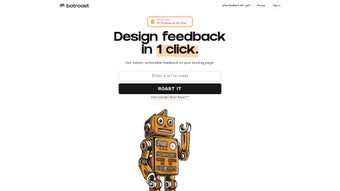

Download Botroast – AI Design Feedback Tool for Quick, Secure, and Free Design Reviews
Overview
Botroast is an AI‑powered web application that completely reshapes how designers obtain feedback on visual work. Whether you are a solo freelancer polishing a single UI mockup or part of a large agency reviewing an entire brand system, Botroast delivers an instant “Roast Report” that examines hierarchy, typography, color theory, spacing, and many other design fundamentals. The platform eliminates the traditional bottleneck of scheduling critique sessions, waiting for stakeholder comments, and manually consolidating feedback.
By providing a data‑driven, automated review in seconds, Botroast empowers creators to iterate faster, reduce revision cycles, and ship higher‑quality products. The service runs entirely in the browser, which means there is no bulky installer, no OS‑specific binary, and no need for regular patching. All design files are processed in a secure, encrypted environment and are automatically deleted after analysis, safeguarding intellectual property.
Botroast also stays current through weekly AI model updates, ensuring that the feedback reflects the latest design trends and accessibility standards. In short, Botroast offers a seamless, cost‑predictable, and secure way to get professional‑grade design critique whenever you need it.
Key Features & What Sets Botroast Apart
- AI‑Generated Roast Report: Automated, actionable insights covering visual hierarchy, typography, color contrast, spacing, and more, all presented in clear, jargon‑free language.
- Credit Packages: Flexible credit bundles ranging from a single review to unlimited portfolio analysis, giving you transparent cost control.
- Team Collaboration: Share reports with teammates, add comments directly on feedback, and track revision history across projects.
- Real‑Time Model Updates: Continuous AI improvements guarantee that the feedback stays aligned with emerging design trends and accessibility guidelines.
- Cross‑Platform Access: As a fully web‑based tool, Botroast works on Windows, macOS, Linux, iOS, Android, and any modern browser without downloads.
- Secure Data Handling: All uploads are encrypted in transit, processed in an isolated sandbox, and automatically purged after the report is generated.
- Integrations & Export Options: Export reports to PDF, connect via API to popular design tools, and embed feedback widgets into hand‑off platforms such as Zeplin or Figma.
Why Designers Choose Botroast
Speed and precision are the two pillars that differentiate Botroast from conventional design review processes. Traditional critiques often involve coordinating meetings, collecting scattered comments, and manually synthesizing suggestions—a workflow that can consume hours or even days. Botroast collapses that entire sequence into a single, AI‑driven report produced in under 30 seconds.
The language of the Roast Report is crafted to be both professional for senior designers and approachable for junior creatives or non‑design stakeholders, making it a universal communication bridge. Moreover, the credit‑based pricing model eliminates surprise expenses; you always know how many reviews remain, and you can top up credits at any moment. This predictability is especially valuable for agencies juggling multiple client projects where budgeting accuracy is paramount.
Finally, the secure, cloud‑first architecture means you never have to worry about local software conflicts, version drift, or data leaks—Botroast handles everything behind the scenes while you stay focused on creating compelling visuals.
Installation, Usage Instructions, and Compatibility
Getting Started – No Download Required
Botroast is delivered as a Software‑as‑a‑Service (SaaS) solution, so there is absolutely no installer to run. To begin, open your preferred browser and navigate to www.botroast.com. Click “Sign Up,” enter your email address, and confirm the verification link sent to your inbox.
After registration, you are granted one complimentary roast credit that lets you test the platform on a single design file without any monetary commitment. From the dashboard, you can instantly purchase additional credit bundles using a secure Stripe checkout. The onboarding wizard walks you through every step—from selecting file formats (PNG, JPG, SVG, PDF) to choosing specific analysis parameters—ensuring a frictionless first experience.
Step‑by‑Step Workflow
- Upload Your Design: Drag‑and‑drop or browse to select the file you want reviewed. Botroast accepts images up to 20 MB and vector PDFs.
- Select a Credit Pack: If you have not yet used your free credit, choose a bundle that matches your project volume; each Roast Report consumes one credit.
- Configure Analysis Parameters: Opt‑in for focused checks (e.g., only color contrast) or let the AI evaluate the full suite of design criteria.
- Generate the Report: Hit “Roast Now.” The AI processes the design, runs computer‑vision scans, and produces a detailed report in under 30 seconds.
- Review & Iterate: Read the AI’s suggestions, apply changes in your design tool, and, if needed, re‑roast the updated version for a second opinion.
- Export & Share: Download the report as a PDF, copy a secure shareable link, or embed the feedback widget directly into your design hand‑off platform.
Operating System Compatibility
Because Botroast runs entirely in the browser, it is compatible with all modern operating systems and devices. The service works flawlessly on:
- Windows 10/11 – Edge, Chrome, Firefox
- macOS Monterey and later – Safari, Chrome, Firefox
- Linux distributions with recent browsers – Chrome, Firefox
- iOS 14+ – Safari, Chrome (mobile‑optimized UI)
- Android 9+ – Chrome, Firefox (mobile‑optimized UI)
Security, Updates, and Data Privacy
Botroast employs industry‑standard TLS 1.3 encryption for every data transmission. Uploaded files are placed in an isolated sandbox environment, processed, and then permanently deleted within minutes of report generation. The platform receives weekly AI model updates that refine design heuristics, expand the list of evaluated criteria, and improve overall accuracy. Since Botroast is cloud‑hosted, you always work with the latest version without the need for manual patches or version control on your local machine. For teams with strict compliance requirements, Botroast also offers enterprise‑grade data residency options upon request.
Pros, Cons, and Frequently Asked Questions
Pros
- Instant, AI‑driven feedback eliminates waiting time.
- Credit‑based pricing gives clear cost predictability.
- Works on any device with a modern browser—no downloads needed.
- Comprehensive analysis covering hierarchy, typography, color theory, and more.
- Secure handling of proprietary design assets with end‑to‑end encryption.
- Exportable PDF reports and seamless team collaboration features.
- Weekly AI model updates keep feedback aligned with current design trends.
Cons
- Requires an active internet connection; offline usage is not supported.
- AI suggestions sometimes need human interpretation for highly nuanced design decisions.
- API integrations are currently limited to a handful of major design tools.
- Processing very large or high‑resolution files may take slightly longer than average.
- Free tier is limited to a single credit, which may not be sufficient for extensive testing.
FAQ – Your Questions Answered
How does Botroast evaluate my design?
Botroast uses a blend of computer‑vision algorithms and design‑specific heuristics. The AI scans each visual layer, measures contrast ratios, assesses typographic hierarchy, checks spacing consistency, and cross‑references color theory principles to generate a score and a set of actionable suggestions.
Can I use Botroast for branding assets like logos?
Yes. The Roast Report includes dedicated checks for brand consistency, scalability, and appropriate color usage, making it ideal for logos, icons, and other branding elements.
What file formats are supported?
Botroast accepts PNG, JPG, SVG, and PDF files up to 20 MB each. For larger assets, we recommend compressing them or splitting the design into smaller sections before uploading.
Is there a free trial or a free tier?
New users receive one complimentary roast credit after registration, allowing you to test the service on a single design without any payment.
How do I purchase additional roast credits?
Credits can be bought directly from the dashboard via credit packs (e.g., 5, 20, 50, or unlimited). Payments are processed securely through Stripe, and you can upgrade or downgrade packs at any time.
Does Botroast integrate with my existing design workflow?
Botroast offers API endpoints and native plugins for popular tools such as Figma and Adobe XD. While the current library of integrations is growing, you can always export PDF reports and manually import feedback into any workflow.
Conclusion & Call to Action
Botroast fills a critical gap in modern design pipelines by delivering instant, data‑driven feedback without the overhead of scheduling meetings or hiring external consultants. Its AI‑powered Roast Report is thorough, easy to understand, and constantly updated to reflect the latest design standards. The credit‑based pricing model, secure cloud processing, and universal browser compatibility make Botroast a practical, cost‑effective solution for freelancers, agencies, and in‑house design teams alike.
If you’re ready to accelerate your design reviews, reduce revision cycles, and keep stakeholders aligned, download Botroast now and claim your free roast credit. Experience the power of AI‑driven critique and watch your creative process become smoother, smarter, and more collaborative.
Botroast provides rapid, actionable design feedback that feels like having a seasoned design mentor available 24/7. The platform’s simplicity, combined with robust AI analysis, makes it an essential addition to any designer’s toolkit.



.png)



